When No-Code Tools Let Me Down
I've experimented with no-code tools for MVPs. This post shares my authentic wins and frustrating limitations, offering a realistic perspective on when to use them and when to reach for code.
The 'No-Code' Mirage: My Honest Encounter with Low-Code Tools and When They Fall Short (or Shine)
I remember the initial rush. The promise of building an entire product, an MVP at least, without writing a single line of code.
It felt like unlocking a cheat code for indie hacking. Suddenly, all those ideas swirling in my head felt achievable, tangible.
I dove headfirst into the world of no-code, lured by the siren song of rapid deployment and minimal technical overhead.
There were definitely wins. I managed to get a simple landing page and an email signup form up and running in under an hour with a popular no-code website builder.
Another time, I used a visual workflow tool to automate a repetitive task for a small internal project. It was exhilarating to see something functional appear so quickly.
But then came the friction. The "customization" options started feeling like restrictive boxes.
When I needed to integrate a specific third-party service that wasn't natively supported, or when I hit a performance bottleneck, the no-code walls became frustratingly apparent. It felt like trying to build a skyscraper with LEGOs - you can get pretty far, but eventually, you hit the limits of the system.
This is where the "no-code" often bleeds into "low-code," and understanding that distinction is crucial for us solo founders trying to ship fast. It’s not a binary choice, but a spectrum.
My 'No-Code/Low-Code Decision Matrix' for MVP Choices
To navigate this, I started thinking about a more structured way to decide. It’s less about if I can build it with no-code, and more about should I, and how much will it cost me in the long run?
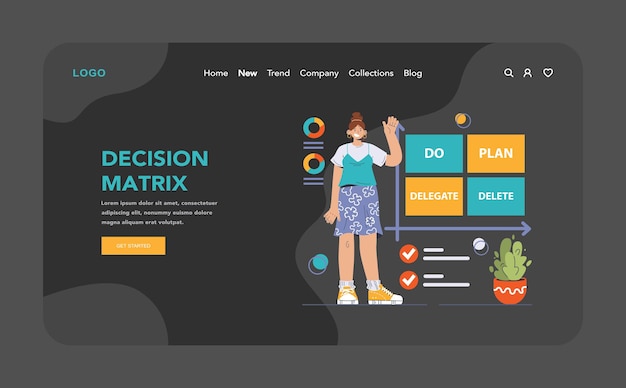
Here’s a simplified matrix I use when evaluating tools for a new MVP:
- Complexity of Core Functionality:
- Low: Standard CRUD operations, forms, basic user management. (Good for No-Code)
- Medium: Custom workflows, integrations with a few external APIs, real-time updates. (Leans towards Low-Code, or careful No-Code)
- High: Complex algorithms, heavy data processing, unique UI interactions, deep backend logic. (Likely requires Code)
- Need for Customization & Scalability:
- Low: Standard UI, predictable user flow, moderate user load. (No-Code is fine)
- Medium: Unique branding, specific data validation, integrations with many services, growing user base. (Low-Code or Code)
- High: Highly specific UX, performance-critical operations, massive user scale, frequent feature iteration requiring deep control. (Code is usually best)
- Time to MVP vs. Long-Term Flexibility:
- Urgent MVP: Need to validate an idea immediately. (Prioritize No-Code/Low-Code for speed)
- Long-Term Vision: Planning for significant growth and feature expansion. (Consider Low-Code or Code from the start)
For instance, when I was building a simple directory website for local businesses, a no-code platform with a good database and CMS capabilities worked perfectly. I could add new listings, categorize them, and display them without touching code.

But, for a project that required real-time collaborative editing, a no-code solution quickly became a bottleneck. I ended up using a low-code framework that allowed me to integrate a WebSockets library, giving me the speed of pre-built components but the flexibility to add custom logic where it mattered most.
The Mirage and the Reality: Knowing When to Switch
The "no-code mirage" is the illusion that you can build anything with these tools without ever needing to write code. While they are incredible for rapid prototyping and validating simple ideas, they often fall short when your product’s unique value proposition requires deep customization or complex backend logic.
Think of it this way: no-code tools are like pre-fabricated houses. They are fast to assemble and functional for many needs.
Low-code tools are like modular homes - you get pre-built sections but can customize the layout and add extensions. Custom code is like building from scratch, offering ultimate freedom but requiring more time and expertise.
My biggest lesson has been to respect the boundaries. Don't force a no-code tool into a corner where it's clearly not designed to go. It’s often more efficient to switch to a low-code approach or even traditional coding before you invest too much time hitting those limitations.
Here's the takeaway for you:
- Embrace No-Code for Speed: For early MVPs, validating ideas, or internal tools where speed is paramount, no-code is a fantastic ally.
- Recognize the Low-Code Sweet Spot: When you need more than basic functionality but don't want to build everything from scratch, low-code tools offer a powerful middle ground.
- Know When to Code: If your product's core differentiator relies on unique logic, performance, or deep integrations, be prepared to write code. It’s not a failure to switch; it’s smart engineering.
The goal isn't to avoid code forever, but to use the right tool for the job at the right time. Happy building!